Build the health widget you actually want.
Put steps, sleep, HRV, heart rate, activity and more together in customizable Home Screen and Lock Screen widgets powered by your Apple Health data.
Private by design · No account · Read-only Health access
iPhone and iPad · iOS 18 or later · Free to start
Multi-metric widgets
One widget. Your health.
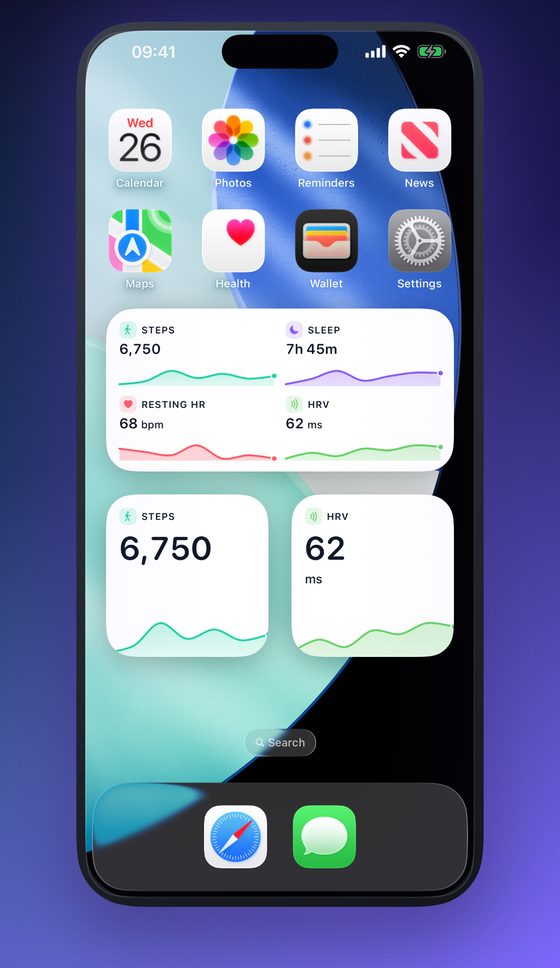
Steps + Sleep + HRV + Heart Rate
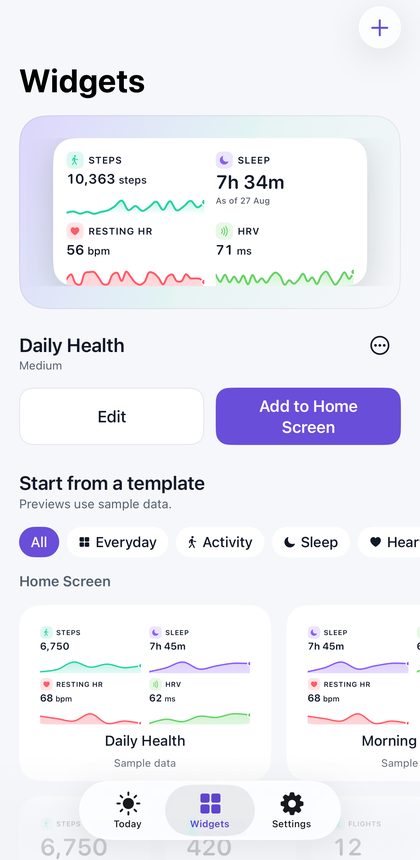
Choose several metrics and arrange them together, instead of filling your Home Screen with separate health widgets.
Most health widgets show one number. GlanceVitals lets you compose the ones you actually check into a single Home Screen health widget — and read them all without opening an app.
What you can do
Health widgets for iPhone, built the way you want them
Multiple metrics. One widget.
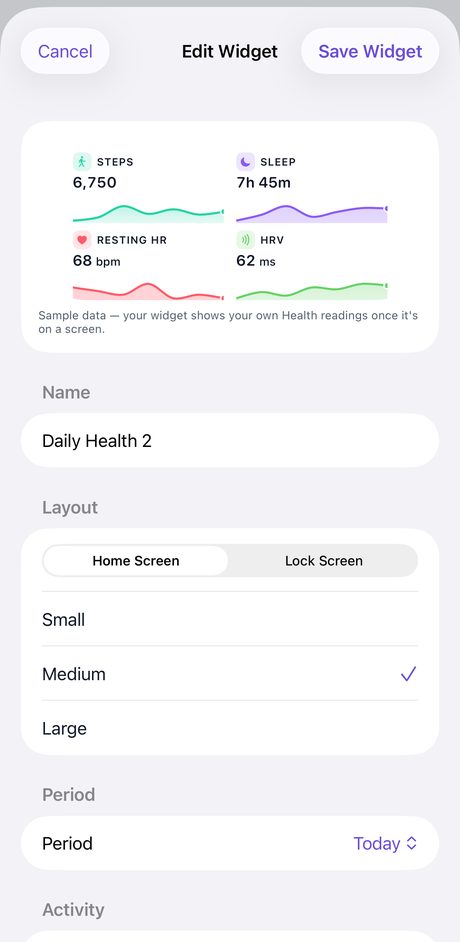
Combine the Apple Health metrics you care about into one customizable widget.
Make it yours.
Choose your metrics, layout, widget size, and visual style. Start from a template if you would rather not start from scratch — it takes seconds either way.
Home Screen and Lock Screen health widgets.
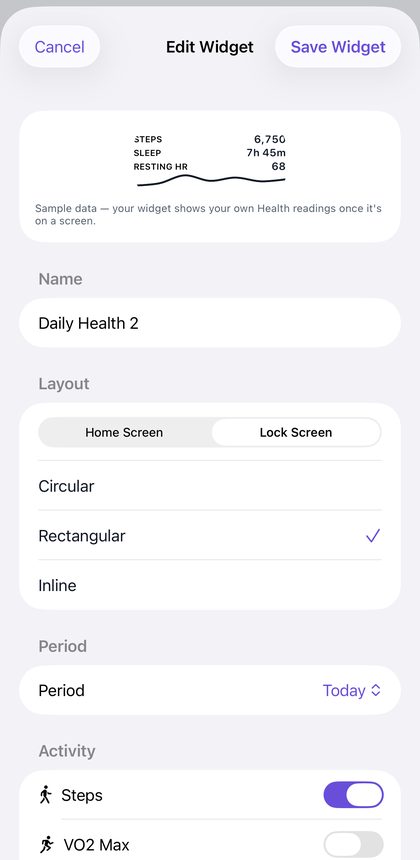
Keep your important health numbers visible without opening an app. Every widget family Apple supports, including Lock Screen health widgets.
Understand the numbers.
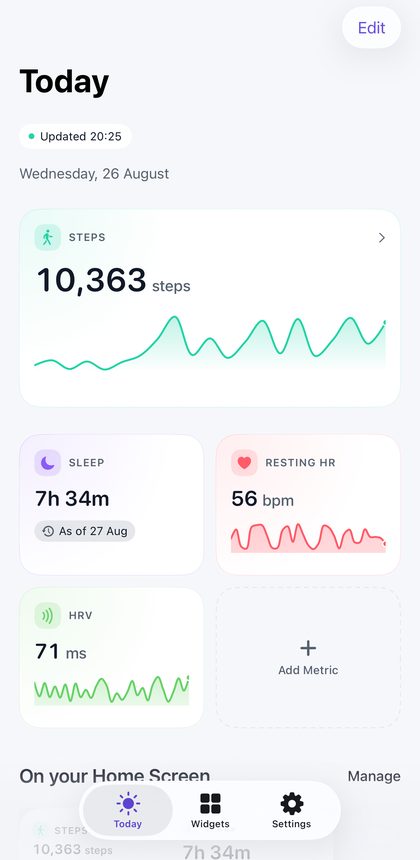
Open GlanceVitals for a clearer Apple Health dashboard of your current metrics and recent trends.
Your health stays on your device.
No account. No advertising SDK. Health data is processed directly on your device and is never uploaded.
Know when your data was measured.
See when a reading was actually recorded instead of assuming every number is live.
A look inside
From Lock Screen widget to full dashboard
Metrics
Start free. Unlock the full catalog when you want it.
Build a sleep widget, an HRV widget, a heart rate widget or a step counter widget — or all four in one. Prices are shown in the App Store before you buy.
Free
Enough to build your first widget in under a minute.
- Steps
- Sleep
- Resting Heart Rate
- Heart Rate Variability
- Weight
- Water
GlanceVitals Pro
The full catalog, multi-metric widget layouts and every widget family, including Lock Screen. Available as an annual subscription or a one-time lifetime unlock.
- VO2 Max
- Active Energy
- Exercise Minutes
- Distance
- Flights Climbed
- Body Fat
- Lean Body Mass
- Blood Oxygen
- Walking Heart Rate
- Respiratory Rate
- Mindful Minutes
- Sleep Stages
Privacy
Your health stays yours.
No account. No cross-app tracking. No health data uploaded.
GlanceVitals reads only the Apple Health metrics you choose and processes them directly on your device.
- Read-only Apple Health access
- On-device processing
- No account required
- No health data in analytics
- No advertising SDK
- No health-data server uploads
Freshness
Know when your data was measured.
Health data arrives when it arrives. Sensors miss readings, sources disagree, and syncs run late. GlanceVitals shows you when each number was actually recorded, instead of presenting every value as if it were live. It is a small thing that decides whether you can trust what a widget tells you.
The difference
Why build your own?
| Ordinary health widget apps | GlanceVitals |
|---|---|
| One metric per widget | Multiple metrics together |
| Fixed layouts | Custom compositions |
| Generic templates | Build your own |
| Unclear data freshness | Measurement timestamps |
| Health data may leave your device | Health data never leaves your device |
Questions
Frequently asked questions
Where can I get GlanceVitals?
GlanceVitals is available on the App Store for iPhone and iPad running iOS 18 or later. It is free to start, with GlanceVitals Pro as an optional upgrade.
Do I need an account to use GlanceVitals?
No. GlanceVitals has no account, no sign-in, and no cloud sync — your widget configuration lives on your device.
Does GlanceVitals send my Apple Health data anywhere?
No. GlanceVitals reads Apple Health data read-only and processes it entirely on your iPhone or iPad. Health values are never sent to a server or third party.
Can I put more than one health metric in a single widget?
Yes. GlanceVitals lets you combine metrics like steps, sleep, resting heart rate and HRV into one Home Screen or Lock Screen widget, instead of one widget per metric.
Does GlanceVitals support Lock Screen widgets?
Yes, alongside Home Screen widgets — every widget family Apple supports, including circular, rectangular and inline Lock Screen layouts.
What is included for free, and what requires GlanceVitals Pro?
The free tier includes steps, sleep, resting heart rate, heart rate variability, weight and water. GlanceVitals Pro unlocks the full metric catalog, multi-metric widget layouts and every widget family, including Lock Screen, as an annual subscription or a one-time lifetime unlock.
What iPhone and iOS version does GlanceVitals require?
GlanceVitals requires an iPhone or iPad running iOS 18 or later.
Build yours today.
GlanceVitals is on the App Store. Free to start, no account, and your Health data never leaves your device.
iPhone and iPad · iOS 18 or later